Screens
The work,
as it actually looks.
Three projects we can show, captured from the running apps and the live site rather than mocked up. The project under NDA appears on the main page as a single anonymised screen.
Live web app · 4 days
REIGN
A training and nutrition log for a phone with a locked screen and no signal. The database enforces who can see what, so a tampered client gets nothing back.
-
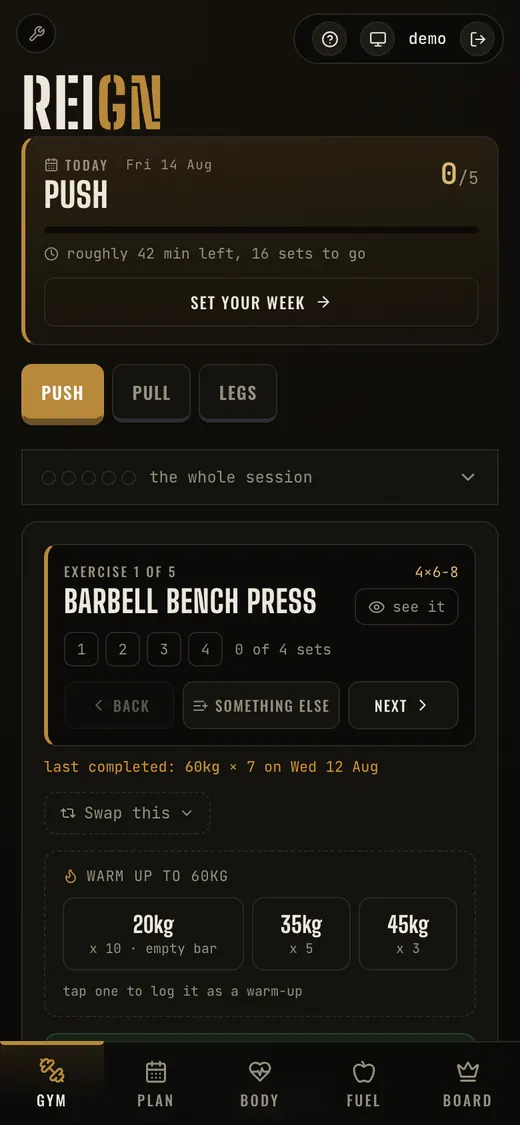
The session. Set counters, warm-up weights and the last thing you lifted, all on one screen.
-
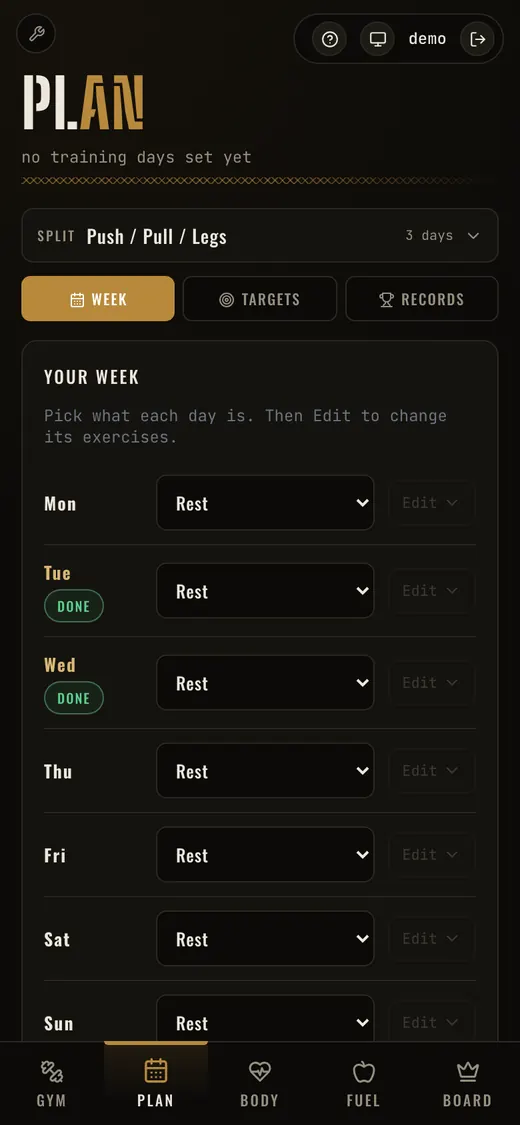
The week. Each day gets a session, and the exercises behind it are editable.
-
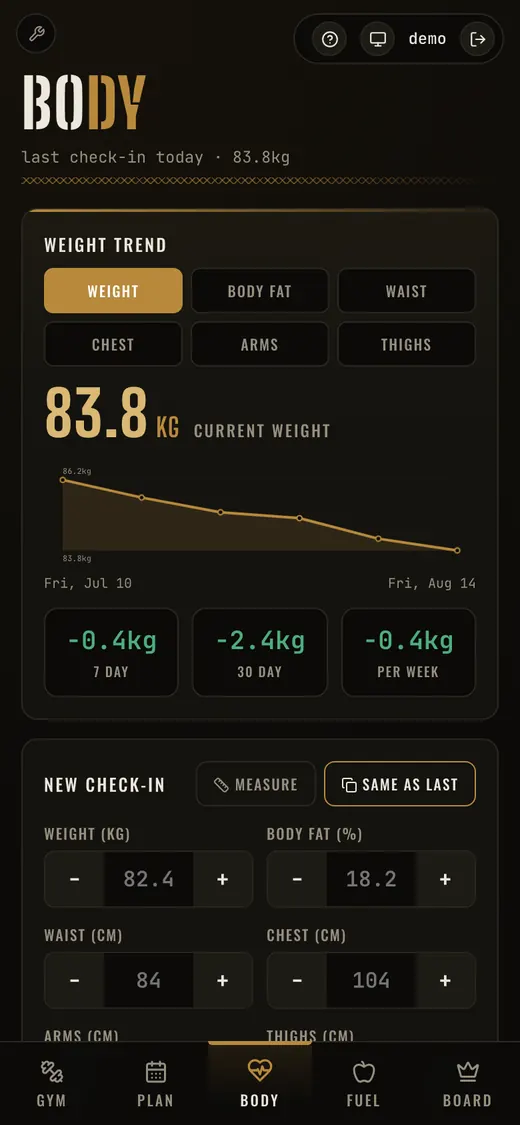
Body tracking. Trend chart, deltas over three windows, and a check-in that remembers last time.
-
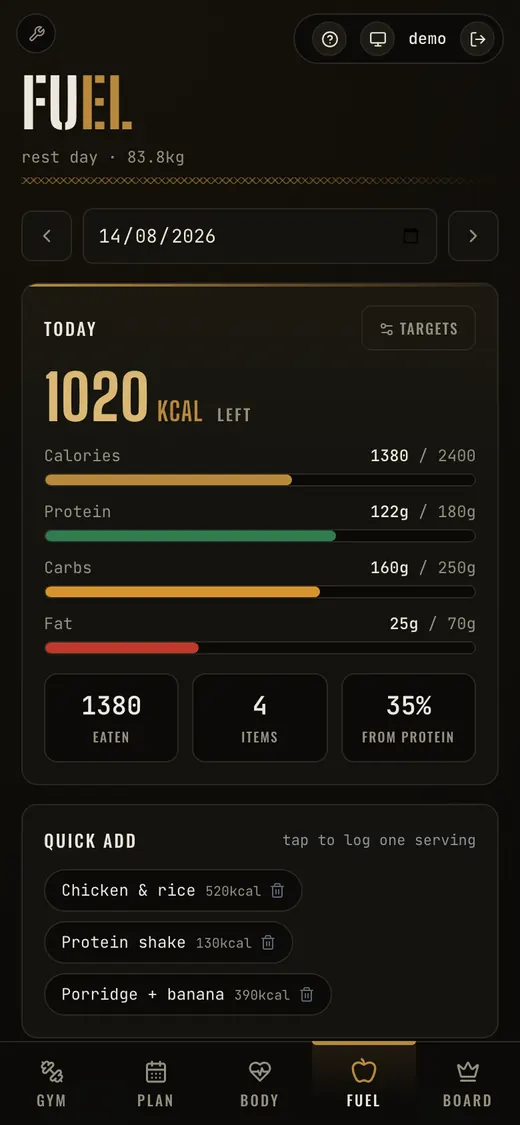
Nutrition. Macros against targets, and one tap to log a meal you eat every week.
-
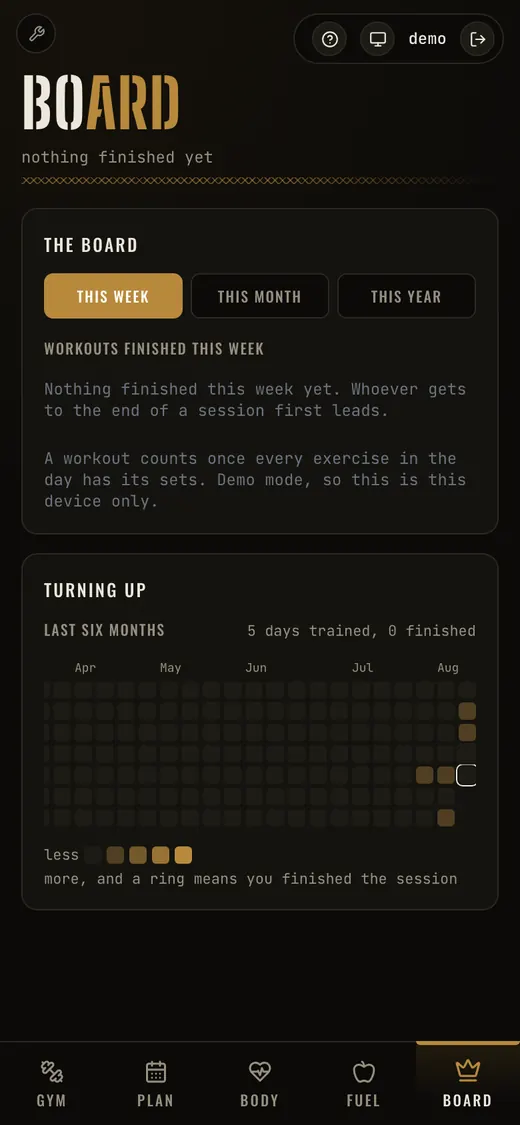
The board. A leaderboard between two people, and six months of turning up at a glance.
Web, iOS and Android · 12 days
Placely
A student placement platform: CV builder, placement matching, company profiles, revision planning and an admin back office. The iOS and Android apps wrap the same web app, so there is one codebase rather than three.
-
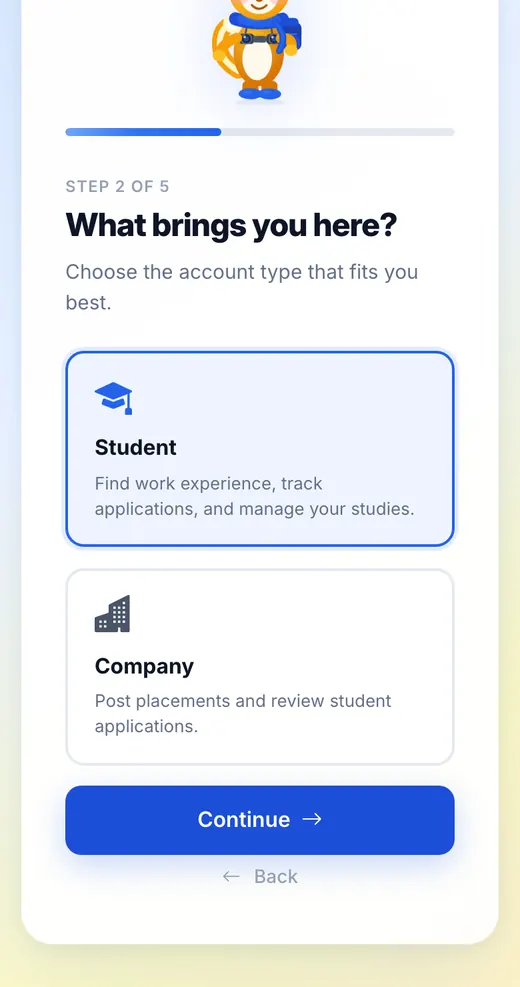
Signing up. Five short steps with a guide, rather than one long form that gets abandoned.
-
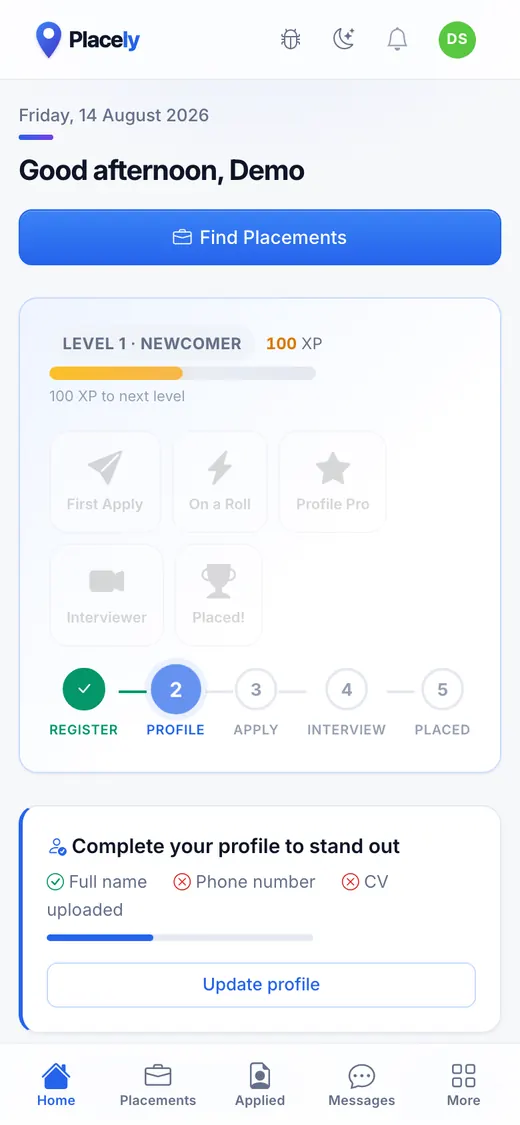
The dashboard. Where you are in the process, and the single next thing worth doing.
-
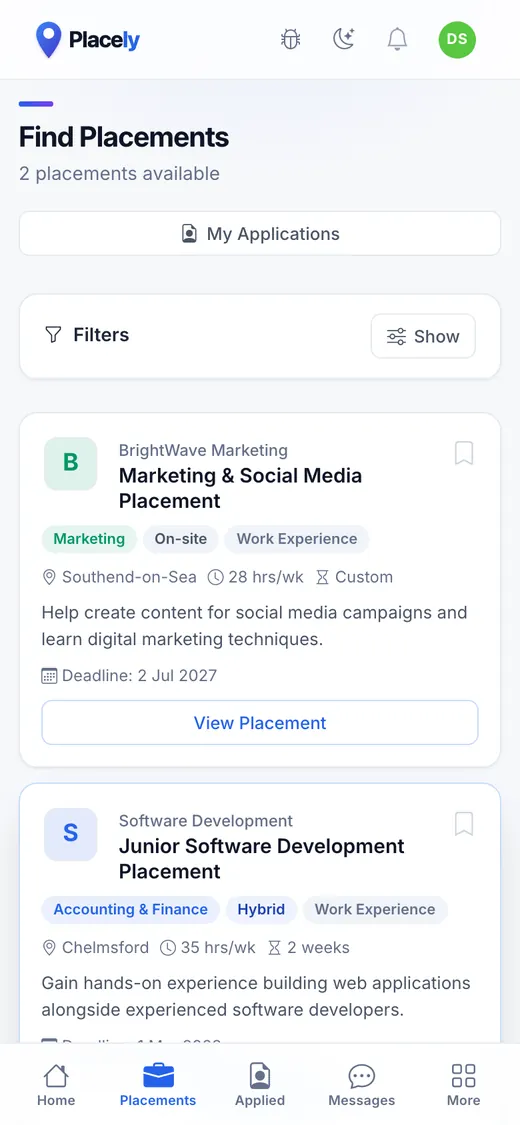
Finding a placement. Filterable listings with the details that decide it up front.
-
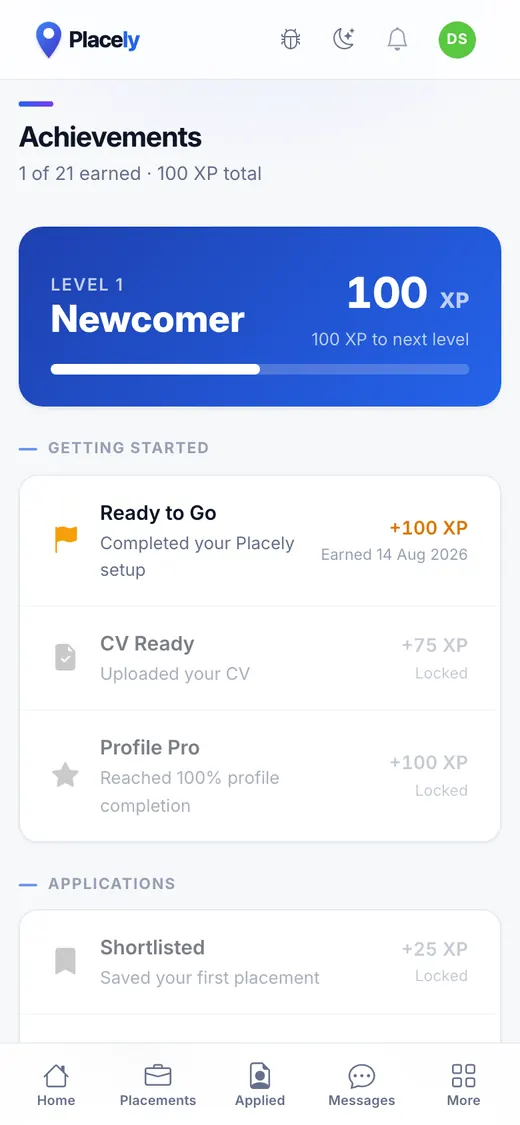
Achievements. Progress made visible, because a placement search is long and mostly silent.
Website · under 1 week
WERM
Water and Environmental Resource Management trace misconnected drainage for water companies. The site is written for the householder who has just been contacted and wants to check the caller is genuine, rather than for someone shopping around. It ships as a static build, so there is no CMS to patch and no server to keep secure. Live at werm.com.
-
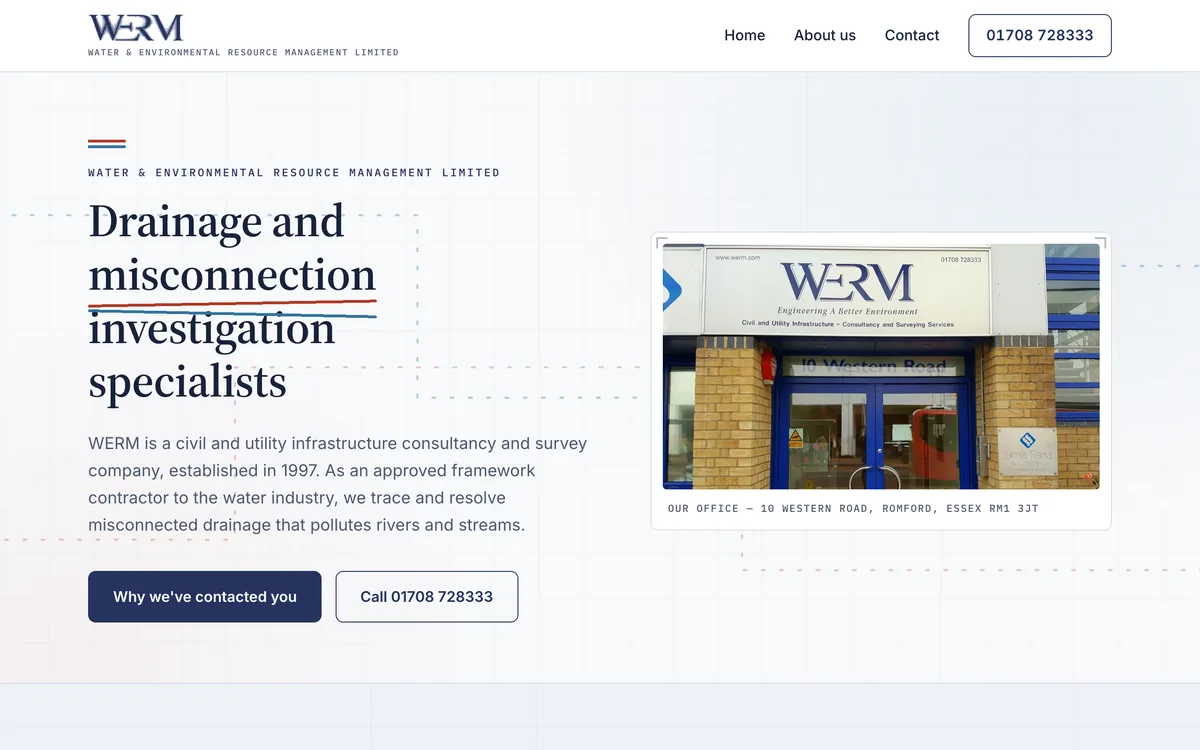
The home page. Who they are and why you might have heard from them, above the fold.
-
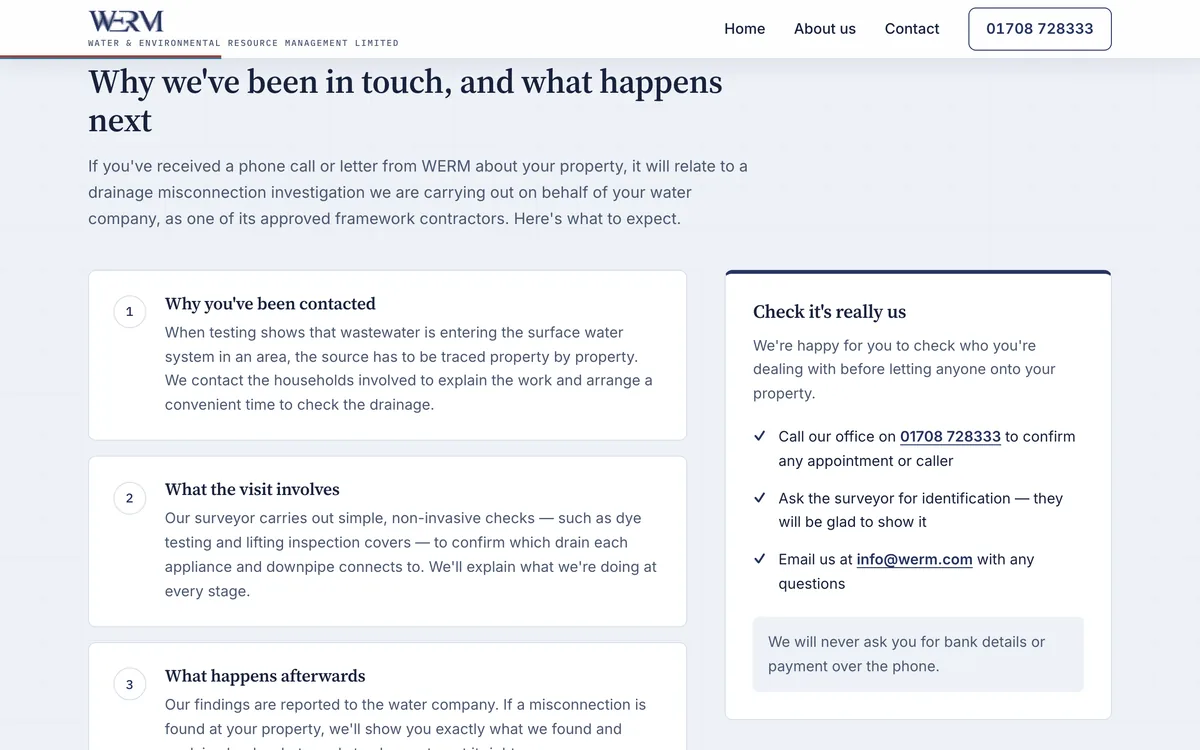
The reason most visitors arrive. Three numbered steps, and a panel on how to verify the caller before letting anyone in.
-
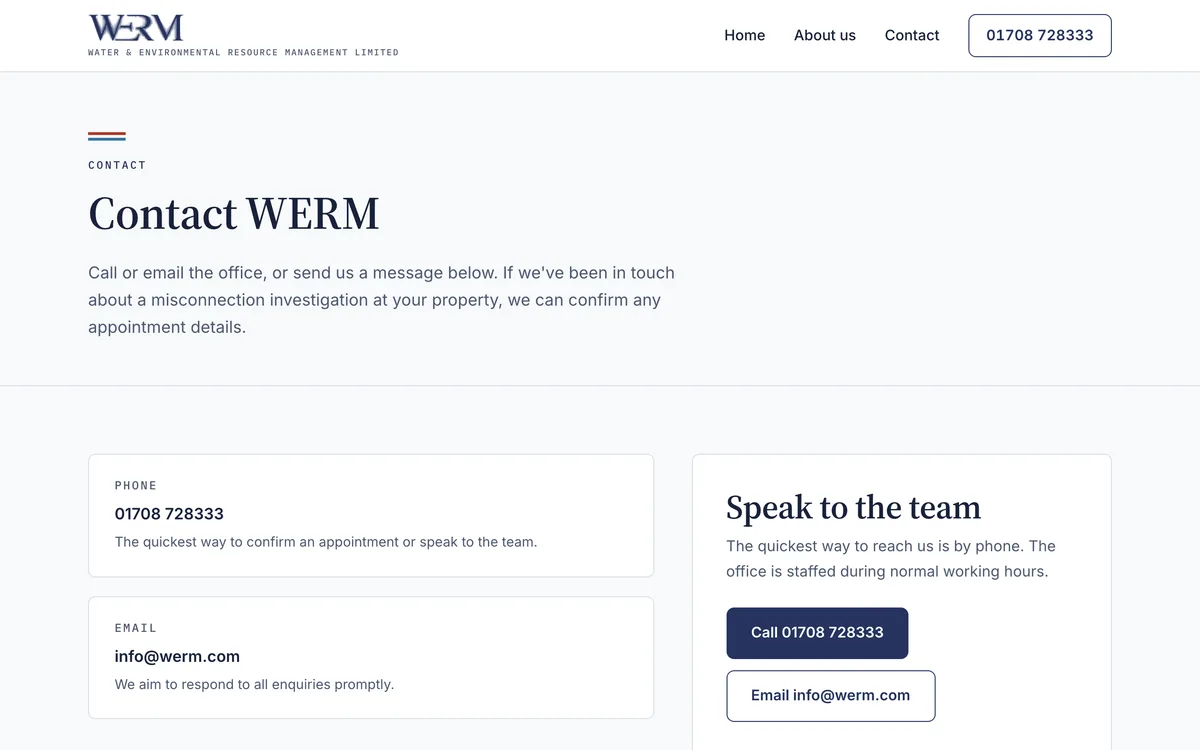
Contact. A phone number and an address, because that is what someone checking you are real wants.
-
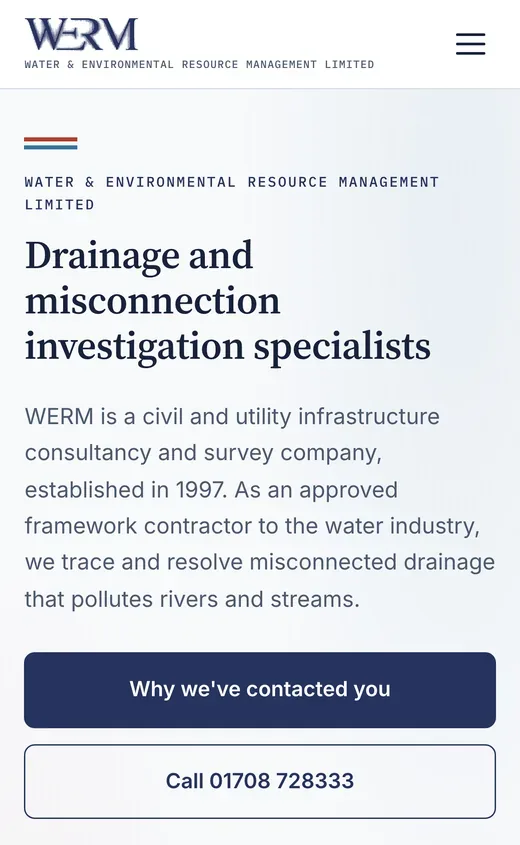
On a phone, where most of these visitors are reading it.
Want one of your own?
Tell us what's slowing you down and you'll have a scope call in the next working day.
Start a project